
When booking a corporate headshot session, ask for high-resolution images in formats suited to their intended use. JPEG files work well for websites, email signatures and LinkedIn profiles, while TIFF files may be useful for print production. The right image dimensions depend on where the photographs will appear. Before the shoot, confirm the required pixel size, resolution, file format and delivery options so your team receives images it can use straight away.
Understand the Image Size You Need
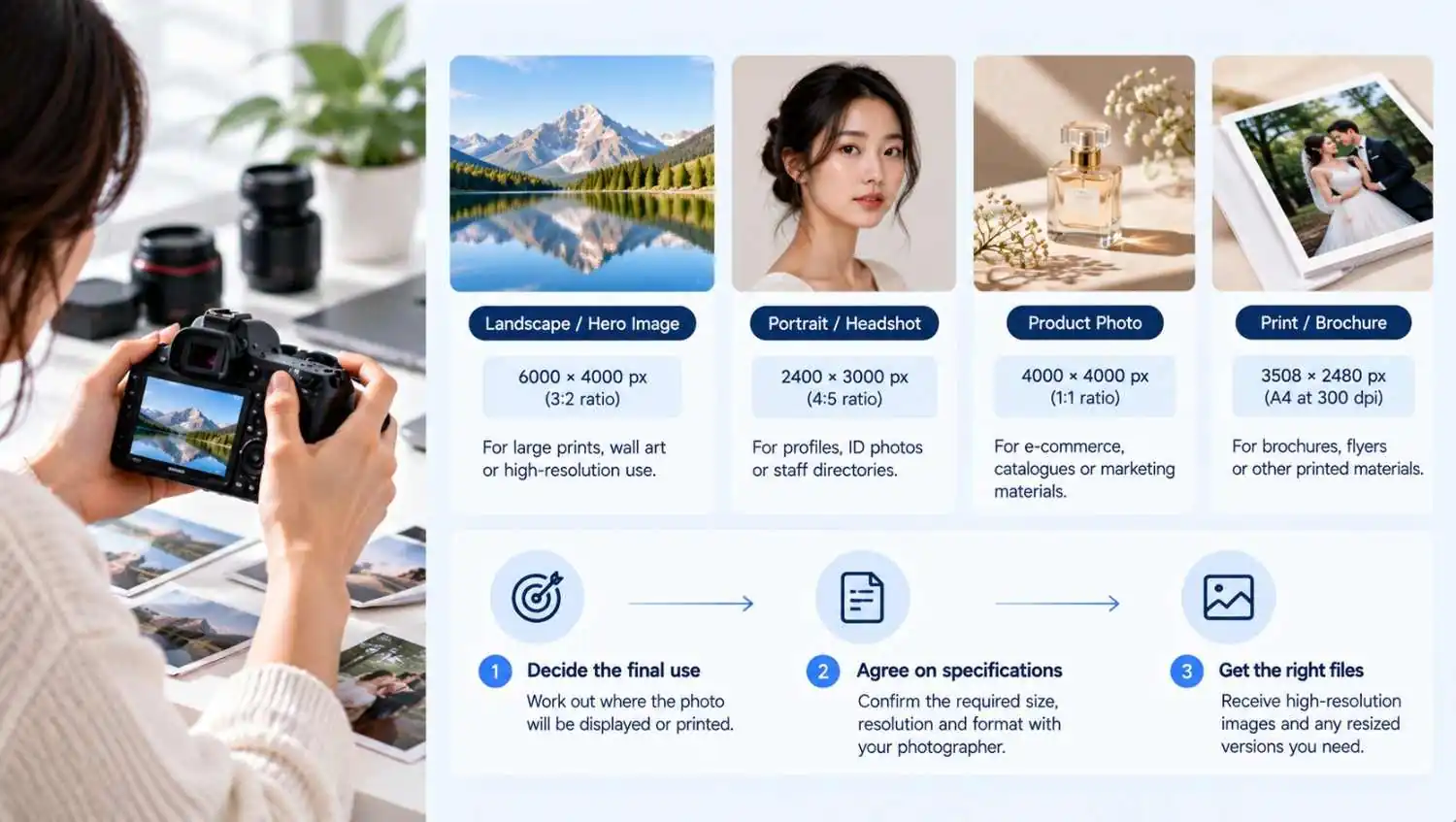
There is no single image size that suits every business. A photograph displayed on a staff directory may need different dimensions from one printed in a company brochure. Start with the final use, then agree on the specifications with your photographer.
Website and LinkedIn Requirements
For websites and LinkedIn profiles, request high-resolution originals that can be cropped without losing too much detail. An image around 2,000 pixels on its longest side is a practical starting point for many digital uses. Your website developer can then resize it to fit the layout.
Avoid accepting only small, pre-cropped files. They may look sharp on a phone but appear blurry when enlarged. For a corporate headshot in Singapore, having both the original image and a web-ready copy gives your team more flexibility. It also means the same photograph can be adapted for different platforms without repeatedly requesting new exports.
Images for Print and Company Profiles
Printed materials need enough detail to keep facial features sharp. A resolution of 300 pixels per inch (PPI) at the final print size is a common guideline for professional printing. A larger print requires more pixels than a small portrait.
For example, a headshot intended to appear six inches tall at 300 PPI needs around 1,800 pixels in height. Ask your designer or printer for the exact requirements before the session. Pixel dimensions matter, but so do focus, lighting and image quality.
Choose the Right File Format
The format affects image quality, file size and how easily a photograph can be used. Most businesses will need JPEG files, although other formats have their place. Tell the photographer where the images will appear rather than asking for every available format.
JPEG, PNG or TIFF?
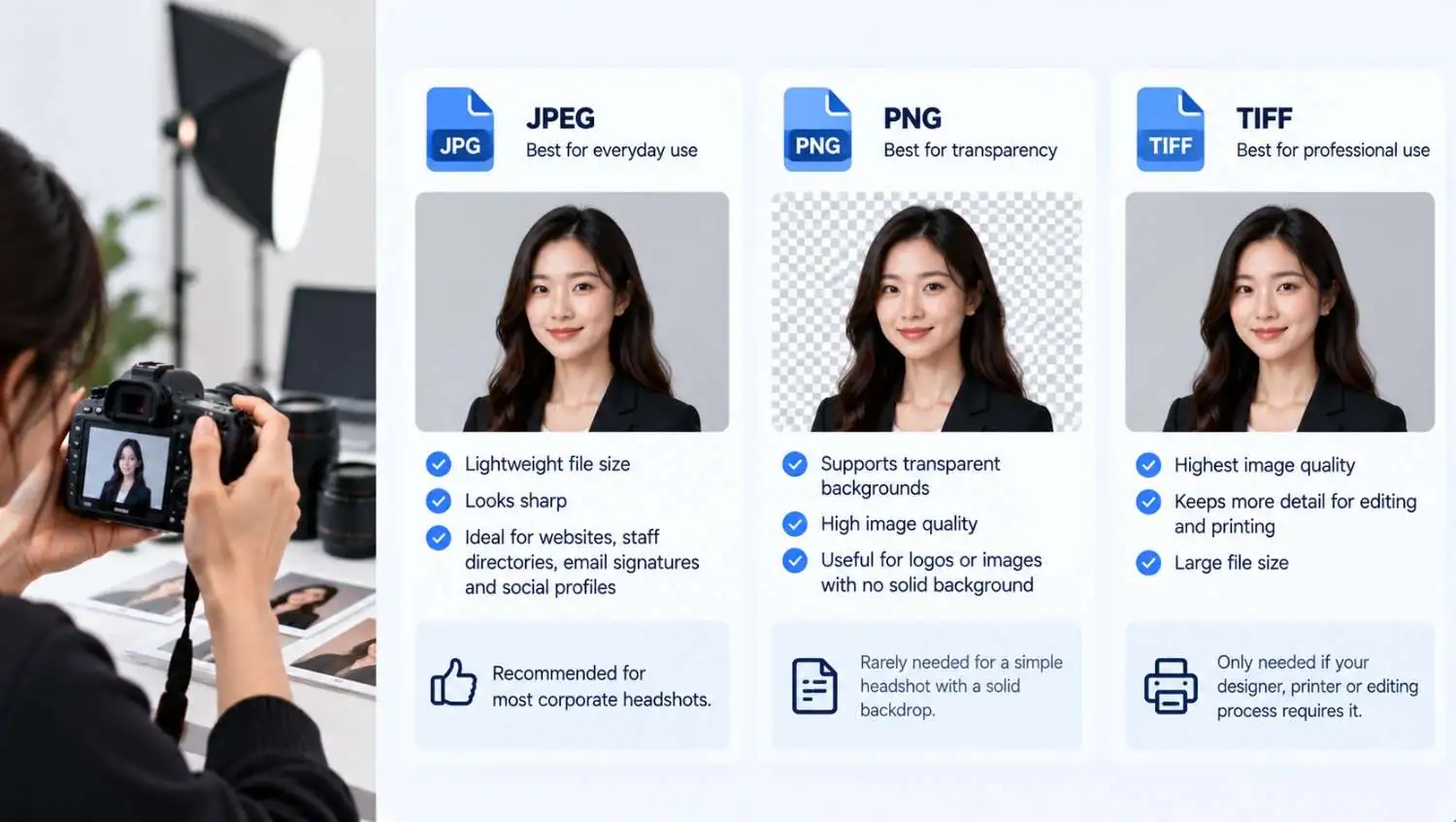
JPEG works well for websites, staff directories, email signatures and social profiles. It keeps images lightweight and still looks sharp when exported properly.
PNG supports transparency, but it is rarely necessary for a simple headshot with a solid backdrop. TIFF preserves high image quality for professional editing or printing, although the files are considerably larger. Only request TIFF files if your designer, printer or editing workflow requires them.
For most corporate headshots, JPEG is the practical choice for everyday use. If you need a special format for a particular project, request it separately.
What to Ask from Your Photographer
Tell your photographer exactly which files you need. A professional headshot package in Singapore should provide your team with images that are ready to use, without having to request additional exports later.
- High-resolution JPEG files for general use.
- Original files if they are included in the agreed package.
- Web-ready versions sized for your website or staff directory.
- TIFF files when required for print production or further editing.
- Consistent cropping and colour across all team portraits.
Check whether retouching, alternate crops and additional exports are included in the quoted price. Photographers may have different delivery policies, so confirm these details before paying a deposit.
Check Image Quality Before the Shoot
A large file cannot rescue a poorly captured photograph. Focus, lighting, background and consistent framing still matter. Share the intended use with the photographer before the session, especially when several employees need portraits that will appear together.
Resolution, Cropping and Colour
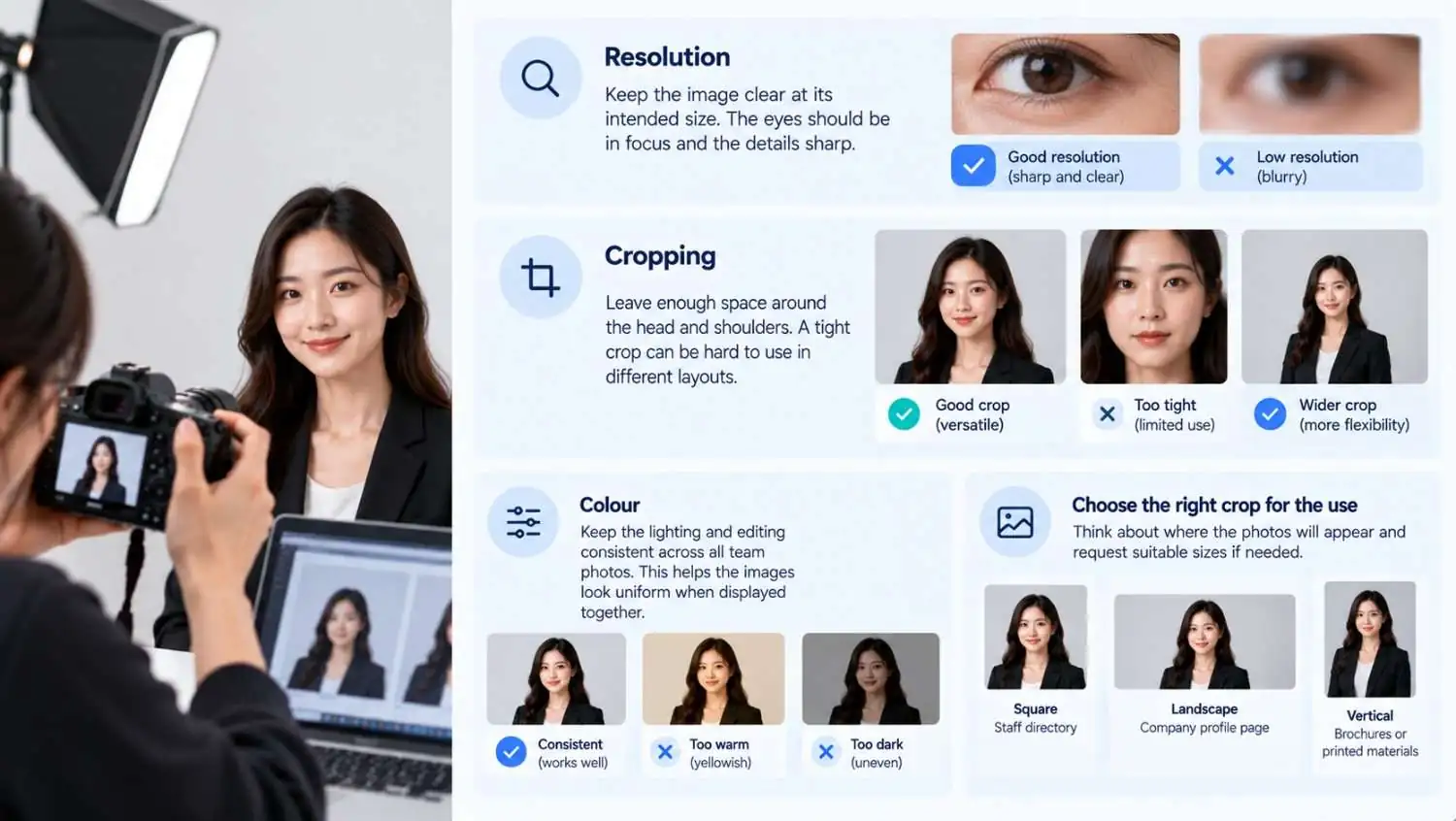
A headshot should remain clear at its intended display or print size. Check that the eyes are in focus, the lighting is even, and the crop leaves enough space around the head and shoulders. A tight crop can make the image difficult to fit into different layouts.
Colour consistency matters when photographing an entire team. Portraits can look warmer or darker if the lighting or editing differs between sessions. If you want all your images to match, especially when they appear together on your company website, let your photographer know that you want a consistent editing style.
If you are organising headshots for your business in Singapore, consider where these photographs will appear. A square crop fits nicely in a staff directory, while a wider image may work better on a company profile page. Request suitable versions where needed.
A Practical Delivery Checklist
| Requirement | What to confirm |
| Pixel dimensions | High-resolution originals and suitable web versions |
| File format | JPEG for general use; TIFF if print workflows require it |
| Print resolution | Around 300 PPI at the final print size |
| Cropping | Enough space for different layouts and aspect ratios |
| Colour and retouching | Consistent editing across all team members |
| File delivery | Clear file names and organised folders |
This simple check can prevent last-minute requests after delivery. It also helps marketing teams keep files organised, particularly when portraits are updated every year or when new employees join.
Before arranging a professional corporate photoshoot, confirm the specifications in writing. Ask how files will be delivered, whether retouched versions are included and how long the photographer will keep the originals. These details are easy to overlook when planning a session, yet they affect how useful the final images will be.
A well-planned corporate photoshoot in Singapore should leave your team with photographs that work across digital and print materials, without unnecessary rework. Memoire can help businesses plan corporate photography around their intended use and image requirements.

